Your assistant
What Muse is and what it connects to, how to teach it your business once so it remembers, and the one switch to check before you connect anything. Round 1: make your business card.
We Thrive BC · Cohort 2 · Session 3
Describe the tool you need. Let AI build it.
A two-hour hands-on talk for women who run a business in BC, or are about to start one. We use one free tool all evening, Meta's Muse, on your own business: teach it who you are once, describe a small tool in plain words and let it build it, let it research whether customers can find you, and set tasks that run on their own. Muse is free to start, with a weekly limit. Have it open in a browser tab (muse.ai) or on your phone, and log in with a Facebook or Instagram account, or a Meta account made with your email (18+). No coding, and nothing to buy.
Every prompt from the talk, ready to copy. Free, and yours to use any time.
Registration is through OCCA. Registered participants receive the Zoom link by email.
Date
Tuesday, November 24, 2026
Time
6:00–8:00 pm Pacific
Format
Zoom · a talk with three follow-along rounds
Cost
Free to attend · Muse is free to start
What the evening covers
Three rounds on your own business, in Muse, and one live demo on my own website. Every prompt is pasted into the Zoom chat and is in the practice guide, so there is nothing to copy off the screen.
What Muse is and what it connects to, how to teach it your business once so it remembers, and the one switch to check before you connect anything. Round 1: make your business card.
A Space is a small app you describe in plain words. How I built a bookkeeping Space in five sentences, what to say when you describe your own, and a lesson from the night it skipped my check. Round 2: build a Follow-ups Space, so no enquiry waits too long for a reply.
Customers ask Google and AI before they ask you. Give Muse your industry, your website and your city, and it researches whether they can find you. A live demo on my own website, how to set up a free Google Business Profile, how to read the results honestly, and the review rules in Canada. Round 3: run it on your business.
What to connect and what Muse does with it, tasks that run on a schedule, and what stays with you: every send, your facts, tax and legal. If you pay for another AI, the same ideas work there. Then your first seven days.
| Time (PT, approx.) | What we do | Mode |
|---|---|---|
| 6:00 | Welcome from OCCA | OCCA |
| 6:15 | Opening: a quick poll, and tonight in one picture | Talk |
| 6:22 | 01 Your assistant: Muse in one minute, teaching it your business, the training switch | Talk |
| 6:28 | Round 1: make your business card | Follow-along · 6 min |
| 6:34 | 02 Describe a tool: what a Space is, my bookkeeping Space, how to describe yours | Talk |
| 6:43 | Round 2: build your Follow-ups Space | Follow-along · 8 min |
| 6:53 | 03 Let it research: Get Found, with a live demo on my own website | Talk and demo |
| 7:02 | A free Google Business Profile, reading the results, reviews in Canada | Talk |
| 7:06 | Round 3: run Get Found on your business | Follow-along · 6 min |
| 7:12 | 04 Keep it running: connections, schedules, what stays yours, your first seven days | Talk |
| 7:21 | Your questions | Q&A |
| 7:45 | Closing from OCCA | OCCA |
Every prompt from the talk on one page, ready to copy: your business card, the Follow-ups Space and Get Found, plus the training switch, Google Business Profile steps, the review rules in Canada, scheduled-task examples and your first seven days. Free, in English.
Open the practice guideA business card in Muse's memory that you can read and edit, so you stop explaining yourself every time.
A Follow-ups Space, so no enquiry waits too long for a reply, and Get Found, a free, simple check of whether customers can find you.
One small task a day for your first week. It is in the practice guide.
They go to the group after the session. Every prompt is also in the practice guide.
OCCA's free program for women entrepreneurs runs eight online sessions and two in-person gatherings, in Kelowna and Vernon, this fall. Three of the sessions are about AI.
Tuesday, September 29
From Chatbox to AI Employee
Tuesday, October 6
AI for Your Marketing Content
Tuesday, November 24
Set Up Your Own AI Tools
Each evening stands on its own. OCCA may adjust dates and topics.
Full Cohort 2 schedule on OCCA's page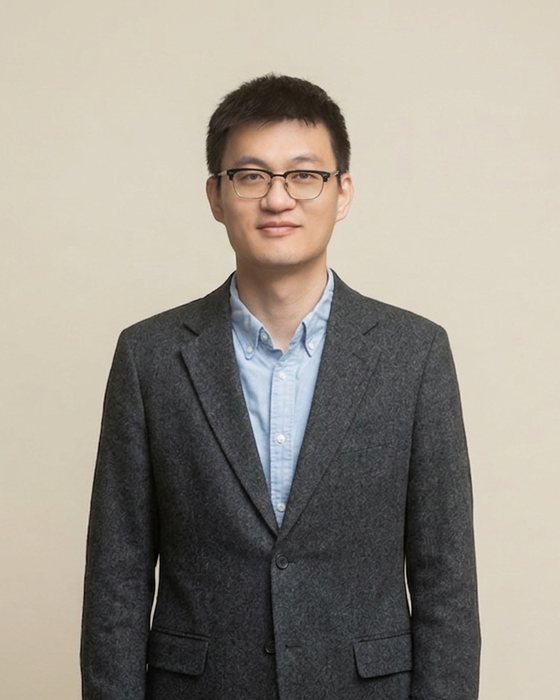
Yao Song
Founder, NextAgent AI Solutions · Senior AI Engineer
Attending is free. The workshop is part of OCCA's We Thrive BC program, funded by the Government of Canada's Women Entrepreneurship Strategy, and nothing is sold during the session. Muse is free to start, with a weekly limit. Meta also sells paid plans (Power, US$20 a month, and Maximum, US$100 a month), and you do not need either for the evening.
No. If you can type a message and paste text, you can follow every round. You describe a tool in plain words and Muse builds it. Every prompt is pasted into the Zoom chat and is in the practice guide.
Muse open in a browser tab or on your phone, logged in with a Facebook or Instagram account or a Meta account made with your email (you must be 18 or older), and your industry, website and city for the Get Found round.
No. It does not answer customer messages, post by itself, or edit a live Google Sheet. It drafts, and asks before it sends, publishes or pays anything. You read every draft.
Spaces started rolling out in Canada on November 18, so some accounts may not have them yet. Every round has a way around it: ask Muse to make the same thing as a spreadsheet in its Library.
No. September 29 was the big picture, and October 6 was marketing content. Tonight is about setting up tools of your own. Each evening stands on its own, so if you missed one, you are not behind.
The session and the practice guide are in English.
Women, and people who identify as women, who are starting or running a business in BC. The program especially welcomes newcomers and entrepreneurs outside Metro Vancouver and Victoria. Registration is through OCCA.
Tuesday, November 24, 6:00–8:00 pm Pacific, on Zoom. Free to attend, through OCCA's We Thrive BC program.
Registration questions: [email protected]
Hosted by OCCA Communities Association as part of We Thrive BC, funded by the Government of Canada's Women Entrepreneurship Strategy, in partnership with WeBC. Presented by NextAgent AI Solutions.